
Track Cancer Symptoms with Ease on iPhone
Overview
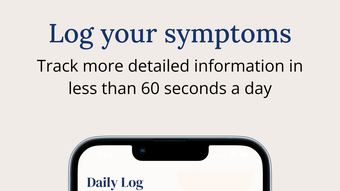
Enna Health is a dedicated mobile application designed to support cancer patients and their caregivers in managing the complex aspects of treatment and daily health. Built specifically for iPhone users, the app enables the tracking of key health indicators such as treatment dates, symptoms, bowel movements, mental well-being, nutrition, and hydration. Its primary purpose is to simplify daily health logging, allowing users to record essential data in under a minute per day. This streamlined approach reduces the cognitive burden often associated with chronic illness management, empowering patients to stay engaged with their care.
The app is particularly suited for individuals navigating cancer treatment, including those undergoing chemotherapy, radiation, or targeted therapies. Caregivers can also benefit by monitoring patient progress and identifying trends over time. Real-world usage scenarios include daily symptom check-ins before medical appointments, tracking medication side effects, and reviewing health patterns to inform discussions with healthcare providers. The inclusion of a centralized dashboard helps visualize treatment timelines and symptom fluctuations, promoting proactive health management.
Developed by Enna Health, the app reflects a mission-driven focus on patient-centered care. While specific details about the development team are not available, the app’s design prioritizes accessibility and usability for users facing physical and emotional challenges. The integration of educational resources and nonprofit support services further enhances its value, offering practical assistance beyond data tracking.
Key Features & Capabilities
- Daily Symptom Logging – Users can quickly record symptoms such as fatigue, nausea, pain, and mood changes in a simple, intuitive interface. This feature supports timely data capture and helps identify triggers or patterns over time.
- Treatment Date Tracking – The app allows users to log chemotherapy sessions, radiation appointments, and other medical treatments, creating a chronological record that can be reviewed for consistency and adherence.
- Health Metric Monitoring – Features for tracking bowel movements, nutrition intake, and hydration levels provide a holistic view of physical well-being, supporting both patients and clinicians in assessing overall health status.
- Dashboard Visualization – A centralized dashboard displays trends in symptoms and treatment schedules, enabling users to spot changes and evaluate the effectiveness of current medications or therapies.
- Personalized Resources – Based on logged symptoms, the app offers relevant educational content, such as tips for managing fatigue or dietary advice during treatment.
- Support Service Integration – Direct access to nonprofit organizations for financial aid, legal guidance, and logistical support helps users navigate non-medical challenges during their cancer journey.
These features collectively support a more informed and empowered approach to care. For example, a patient logging persistent nausea may receive targeted articles on dietary adjustments and be directed to a support group for shared experiences. The app’s structure encourages consistent use by minimizing time investment, making it feasible for users with limited energy or mobility.
User Interface, Workflow & Performance
Enna Health features a clean, minimalistic user interface optimized for iPhone’s touch environment. Navigation is straightforward, with a tab-based layout that allows users to switch between symptom logging, treatment tracking, dashboard views, and resources with minimal taps. The design prioritizes readability and accessibility, using large, legible text and intuitive icons that reduce cognitive load.
Workflow efficiency is a key strength. Users can complete a full daily entry in under a minute, thanks to pre-configured symptom categories and quick-select buttons. The app minimizes form-filling by using smart defaults and auto-suggestions based on past entries. This design supports consistent use, even during periods of low energy or treatment-related fatigue.
Performance details were not specified by the developer. However, based on the app’s 50 MB size and focus on lightweight data entry, it is expected to operate smoothly on supported iPhone models. The developer did not specify resource usage details. Stability and responsiveness appear to be prioritized, as the app’s core function relies on daily, reliable access without crashes or delays.
Compatibility & System Requirements
Enna Health is designed exclusively for iPhone devices and is compatible with iOS versions supported by the app’s current version, 1.0.1. The installation size is 50 MB, which is modest and suitable for most iPhone storage configurations.
Exact system requirements were not listed. Compatibility information is limited to the platform and version provided. Users should ensure their device meets Apple’s general requirements for running current iOS applications. The developer did not provide additional system requirements, such as minimum RAM or processor specifications.
Pros and Cons
Pros
- Free lifetime access to premium features after 30 days of use
- Simple, fast daily logging with under-a-minute completion time
- Comprehensive tracking of symptoms, treatments, and wellness metrics
- Intuitive, user-friendly interface tailored for patients and caregivers
- Integrated access to educational resources and nonprofit support services
- Centralized dashboard for visualizing treatment and symptom trends
Cons
- Platform limited to iPhone; no support for Android or other mobile systems
- Exact system requirements not publicly available
- Performance data not provided by the developer
- May lack advanced analytics for clinical professionals
- Dependent on user consistency for meaningful insights
FAQ Section
Is Enna Health available for Android devices?
Currently, Enna Health is only available for iPhone users. There is no official Android version released or announced.
Is the app secure and private?
While specific security details were not provided, the app is designed for sensitive health data. Users are advised to rely on Apple’s built-in privacy protections and to review the app’s privacy policy for full transparency.
Can I use Enna Health offline?
The app likely supports offline functionality for logging data, as it is designed for daily use without constant connectivity. However, synchronization with the dashboard and resources may require an internet connection.
What happens after the 30-day free trial?
After 30 days of use, users gain free lifetime access to all premium features, eliminating the need for a paid subscription.
How often should I update the app?
It is recommended to keep Enna Health updated to the latest version to ensure compatibility, security, and access to new features. Updates are managed through the App Store.
Final Thoughts
Enna Health stands out as a thoughtful, patient-first tool for individuals managing cancer treatment. Its ability to simplify daily health tracking while offering meaningful insights and real-world support services makes it a valuable companion throughout the cancer journey. The app’s emphasis on speed, usability, and accessibility ensures that even those with limited energy can stay engaged with their care.
While it is currently limited to iPhone users and lacks detailed technical specifications, its core functionality is well-executed and purpose-driven. The promise of free lifetime access to premium features after a short trial period enhances its appeal significantly. For cancer patients and their caregivers seeking a reliable, low-effort way to monitor health and access support, Enna Health delivers tangible value.
Download Enna Health now







